
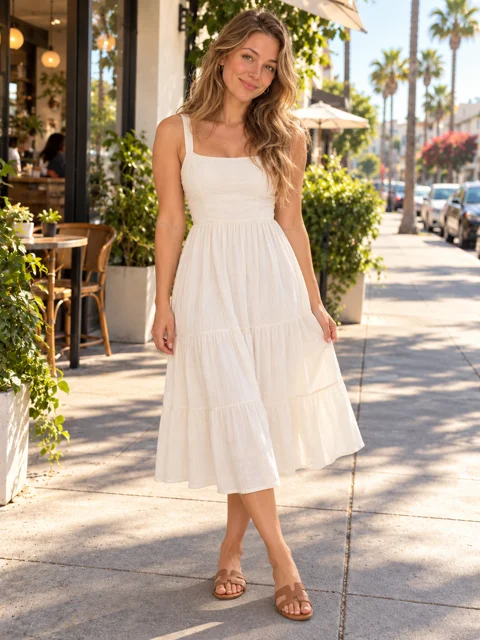
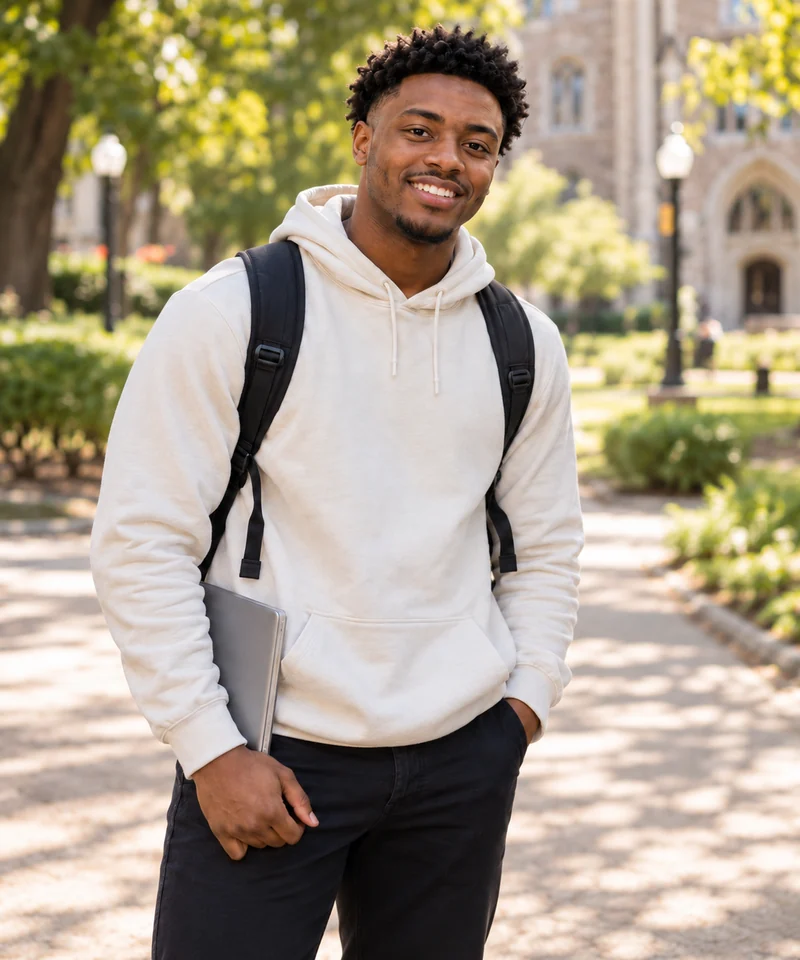
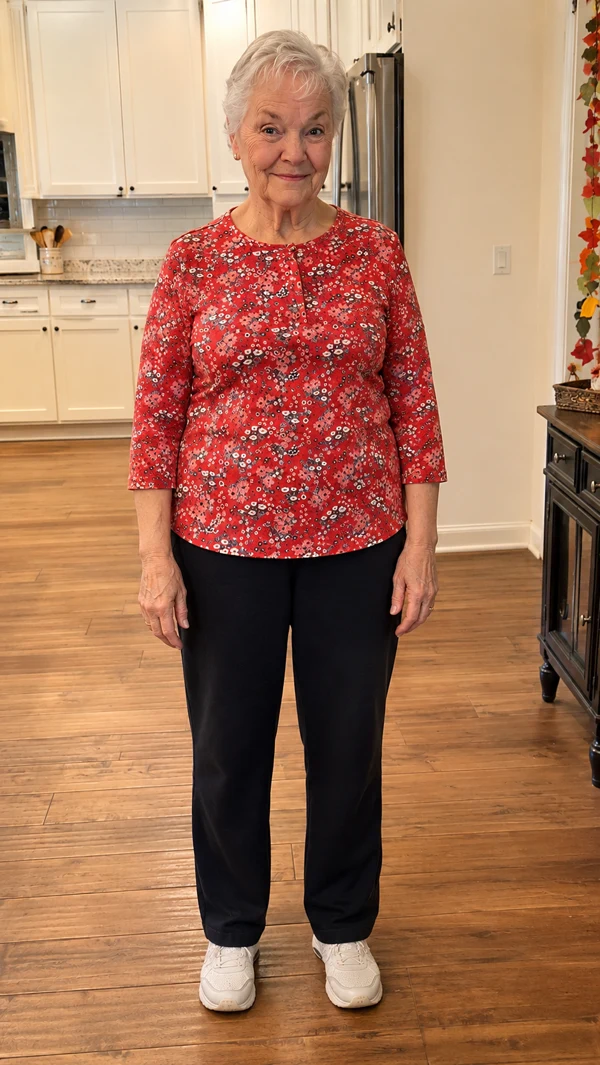
1. Upload three dancer photos
Upload one photo for each dancer: left, center and right in the opening shot. Choose a clear photo of one person or pet with a visible face. A waist-up or full-body view helps show their outfit.
Star in the Wassup In A Minute dance with two unlikely dance partners. Playful head tilts, cheeky hand gestures and a hillside shuffle make this one for your group chat. No choreography to learn. No prompt to write.
Wassup In A Minute is a TikTok animation meme set to a Jersey club remix of Drake’s “From Time,” featuring Jhené Aiko. The original song was released in September 2013. In the meme, illustrated characters sway to the looping vocals with an oddly relaxed confidence.
The fun is seeing who gets the moves next: anime characters, friends or a very serious-looking pet. This template brings three characters to a green hillside for the head tilts, finger gestures and loose footwork. Give your group a new routine without filming the dance yourself.
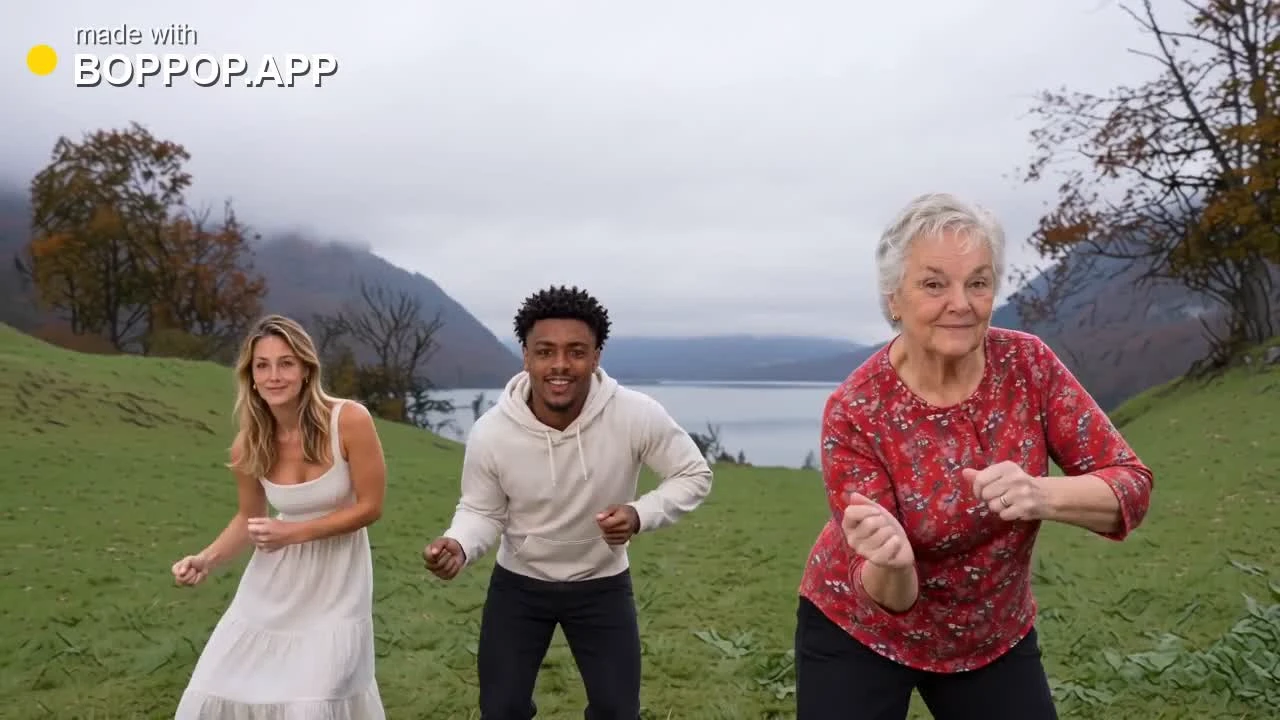
In this realistic, full-color example, a woman in a white dress, a man in a cream hoodie and an older woman in a red floral top dance on a hillside beside a lake. This 14-second example follows the same dance sequence as the videos you create.
Three photos → the three dancers above.
The woman in white stands on the left, the man in the cream hoodie is in the center and the woman in the red floral top is closest on the right. They bounce to the beat with small hand gestures.
All three raise their hands beside their heads, tilting and swaying in their staggered formation.
The camera cuts to a waist-up shot of the man in the cream hoodie. He gestures near his mouth and chest while the other two keep dancing behind him.
The camera cuts to a full-body view of the trio. They take small steps toward the camera, bending their knees and swinging their arms.
From a side angle, the woman in white dances on the left, the man in the cream hoodie moves in the foreground and the woman in the red floral top stays farther back on the right. They turn, step and swing their arms, keeping the dance going as the clip ends.
Follow the familiar sequence: the opening trio, hands beside the head, a close-up of the center dancer and wide shots of the hillside footwork.
Each photo guides one dancer’s face, hairstyle, outfit and accessories throughout the routine. Details and movement may vary with your photos.
The reference rhythm guides the gestures, expressions and visible mouth movements. Sound is generated with the video, so you do not need to add or sync a soundtrack yourself.
Download your 14-second video as a 720p MP4 in 16:9 widescreen format. Share it on platforms that support the file and format, including TikTok, Instagram Reels and YouTube Shorts.
Upload your photos, choose your video quality and generate. No app to install, dance to record or prompt to write.
Buy a one-time credit pack or choose an optional subscription. Your generated video comes without an added watermark.
Upload one photo for each dancer: left, center and right in the opening shot. Choose a clear photo of one person or pet with a visible face. A waist-up or full-body view helps show their outfit.
Choose Standard, Fast, Pro or Ultra, then review the credits and generate. Every full video is 14 seconds at 720p in 16:9 widescreen format. The dance, audio reference and prompt are ready to use.
If eligible, try a 4-second preview before creating the full dance. Track progress in the workspace or My creations, then download your MP4 with sound and share it.
Use three clear, well-lit photos, with one person or pet and a visible face in each. Add them to the left, center and right dancer slots. We accept JPG, PNG and WebP files up to 10 MB each. Each side must be 300–6000 pixels, and the longer side must be no more than three times the shorter side.
Full videos are 14 seconds at 720p in 16:9. Pricing: Standard: 100 credits; Fast: 240 credits; Pro: 400 credits; Ultra: 595 credits. The 4-second 720p preview uses 10 credits. No subscription is required; one-time packs and optional subscriptions are available.
Yes, if you are eligible. New accounts can receive 10 welcome credits, granted once per account and IP address. A 4-second 720p Standard preview uses 10 credits from your balance, including welcome credits. Each account and network can use one preview across all video templates, subject to daily availability. The preview shows the opening of the dance.
Yes, with permission to use both the photo and the person’s likeness. Get their consent before uploading or sharing. Do not use prohibited images, impersonate someone or imply their endorsement.
Yes. Use a clear photo of one pet with a visible face. Your pet can fill any dancer slot. The dance is adapted to the character, so results may vary.
Your credits are returned once a generation is confirmed as failed or canceled. For help, email support@boppop.app with your task ID and a brief description of the problem. If support confirms that a product bug affected your video, we refund the credits used and add the same number in bonus credits. For example, a 100-credit video receives a 100-credit refund plus 100 bonus credits. Bug compensation requires verification. Only upload images and likenesses you are authorized to use.